
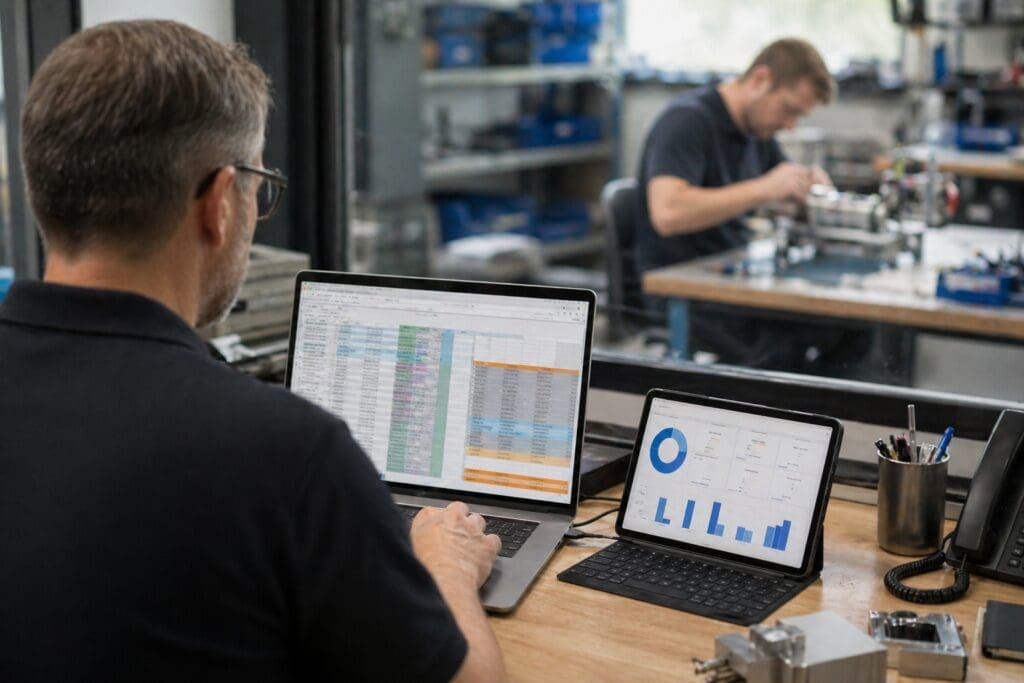
Every SME manufacturer that’s been running stock on Excel for five years eventually has the same conversation. Sales have gone up. The spreadsheet is now so fragile that nobody wants to touch it. The person who built it has been here long enough to know where every formula lives, but they’re also the person everyone calls when a stock question needs answering. The business knows it has to move on. It’s also terrified of the switch, because the horror stories are real — bad data imports, staff revolts, six-month recoveries.
This guide is for MDs and Operations Managers at 10-50 person equipment, device, or machinery manufacturers using Xero, QuickBooks, or Sage 50 for accounts, who have decided spreadsheet stock control has to go and want to do the switch without breaking production. If that’s you, the good news is that most of the pain is avoidable — you just have to spend a week on preparation before anyone touches new software.
In brief: Most stock-control migrations fail because the spreadsheets are dumped straight into a new system without a clean-up, a part-numbering scheme, or a phased rollout. The fix is a week of preparation, team engagement, five decisions made in advance, and a staged go-live using a Crawl, Walk, Run approach. Stock control software for small businesses — specialist MRPs like Flowlens, designed for SME equipment manufacturers, handles the mechanics once those decisions are made.
Why spreadsheet stock control fails first
Of all the spreadsheet-held processes in an SME manufacturer, stock is the one that breaks first. Quoting can tolerate a messy workbook. Invoicing rolls on because Xero or Sage is doing the actual work. Stock is different: it’s referenced by engineers, picked by assemblers, reordered by procurement, valued by the accountant, and reconciled by whoever has the authority. Every one of those people needs the same number to be right at the same time.
Jane Hathaway, Office and Logistics Manager at SS Scientific, a vacuum-science manufacturer in East Sussex, described the state most small manufacturers eventually reach:
“It was just so inefficient. We had to enter the same information into multiple places, which took up so much time and made it hard to be sure everything was up-to-date.”
That’s the moment the switch stops being optional — when the cost of keeping the spreadsheet honest is higher than the cost of replacing it.
Five decisions to make before you even look at software
Most botched migrations aren’t a software problem. They’re a decision problem — specifically, that nobody made the hard decisions before the software went in, so every old habit survived the move. Make these five calls first.
- Who owns stock? Name one person who is accountable for stock accuracy, end to end. Not “the team”. One name.
- What “assigned” means. Define the point at which stock changes from on-shelf to committed-to-a-job — is it when the quote’s accepted, when the production order is released, or when the parts are physically picked? Pick one and stick with it (most manufacturing inventory control systems will have a defined approach to this).
- What you count, and how often. Move from an annual heart-attack stocktake to cycle counts. Decide which parts are counted weekly, monthly, quarterly, and why.
- What “reorder point” means in your business. For some parts it’s a fixed minimum. For others it’s a function of supplier lead time and live demand. Both are fine — but it needs to be explicit, not a mental note.
- Your part-numbering scheme. This is the one most small manufacturers get wrong and regret for a decade. A common, consistent part-numbering system — chosen by the business, not by the supplier and not by whichever engineer created the part — gives you clarity across procurement, production, and after-sales service. Don’t rely on manufacturer part numbers (they can change without warning). Don’t let engineers invent their own conventions. Agree a scheme, document it, and enforce it.
Those five decisions take management time, but if you skip them and go straight to software, you’ll just encode the existing mess into the new system.
The data clean-up that saves you six months later
Before you import anything, audit the spreadsheet. You’re looking for: duplicate part numbers (the same physical part recorded twice with different numbers), orphaned parts (recorded but no longer in any current BOM), parts with placeholder descriptions (“TBC – check with Dave”), and stock levels that haven’t been updated since the last stocktake.
Clean it on the spreadsheet first. Importing dirty data into a new system doesn’t make it clean — it just puts the same problems in a more expensive container, and now fixing them is harder because you’ve lost the institutional knowledge that kept the spreadsheet working despite its flaws.
Give the clean-up a week and a named owner. Expect to drop 10-20% of your parts list because it’s obsolete. The remaining list is what you import.
Phased rollout: Crawl, Walk, Run for stock specifically
Big-bang rollouts are where migration horror stories come from. The staged approach Flowlens uses with customers — Crawl, Walk, Run — applies specifically to stock as well as the broader implementation:
- Crawl — parts, suppliers, and current stock levels go into the system. Goods-in and goods-out are captured from day one. Nothing else changes. The team uses the new system to record movements and the spreadsheet dies quietly.
- Walk — BOMs come in, production orders start pulling from live stock, assigned-to-job stock is visible to sales and production at the same moment. Reorder points start firing. This is usually week 3-6.
- Run — cycle counts replace the annual stocktake, supplier lead times start feeding reorder logic, and the stock valuation reconciles without manual effort. Week 8-12 for most SME manufacturers.
The first few weeks are deliberately boring. That’s the point — you want the team to build habits on the new system before you add complexity. The businesses that try to switch everything in week one are the ones that end up back on Excel three months later.
What changes on day 61
Two months in, a few things have quietly changed that the team barely notices. The morning stock question — “do we have enough of X to start job 1874” — gets answered in ten seconds from a dashboard rather than twenty minutes of spreadsheet work. Purchase orders go out before parts run out, not after. The accountant’s monthly stock valuation reconciles to operations without an evening of cross-referencing.
Chloe Lockwood, Production Coordinator at Korvus Technology, described the shift from her seat on the shopfloor:
“Coming from a previous job that involved about 20 different spreadsheets, Flowlens has been a game changer. Having everything available makes my job so much easier.”
That’s the payoff — not a dashboard full of KPIs, but a working day that stops feeling like a spreadsheet-management job.
Conclusion
Moving off spreadsheet stock control isn’t a MRP software project. It’s a decisions project, with a software step in the middle. Getting your team on board, spend a week naming an owner, defining “assigned”, deciding on cycle-count rhythm, writing down your reorder logic, and agreeing a part-numbering scheme. Clean the data before you import it. Phase the rollout over 8-12 weeks. Stock control software for small manufacturers — Flowlens included — does the mechanics, but it can only encode the decisions you’ve already made.
FAQs
How long does it take to move from a stock spreadsheet to a proper system?
For most SME equipment manufacturers, a phased Crawl-Walk-Run rollout runs 8 to 12 weeks from start to fully operational, though first value — goods-in, goods-out, and live stock levels — is usually captured in the first 2-3 weeks. The length mostly depends on how clean the starting data is.
Do we have to replace our accounting software to move off stock spreadsheets?
No. Good stock management software for small manufacturers integrates with your existing accounts package. Flowlens integrates directly with Xero, QuickBooks, and Sage 50, so you keep your finance setup and add the operational layer on top.
What’s the single biggest migration mistake to avoid?
Importing the spreadsheet as-is without cleaning it first. Duplicate part numbers, orphaned parts, and a missing part-numbering scheme will all follow you into the new system and cost more to fix there. Spend a week cleaning before you import.
Not sure whether your business is ready to make the move? Get your Digital Readiness Assessment Score — a short Flowlens quiz that scores where you are on the spectrum from “still in spreadsheets” to “ready for full digital transformation”.